MAPDR DICOM Router
MAPDR DICOM Router is a high-performance system for receiving, storing, and forwarding DICOM medical images. It is built using Go (backend) and React (frontend) via the Wails framework.
The Problem
There are not too many OpenSource DICOM router. One of my client asked me to build a custom DICOM router with few of the requirements like:
- He should have a
Dashbaordevery uploaded images count. - It should be able to
ModifyDicom Tags before uploading images to PACS - He want count for every modality (CT, MR, US, DX, etc.) successfully uploaded to
TELE PACS - He want to send
JSON payloadto externalTeleradiologyorRISsystems. - It should be Desktop app for
WindowswithHardware Licensebased activation.
Which is not available on other DICOM router. So I decided to build a custom DICOM router for him.
Techstack
For this project i choose to use golang for backend with WAILS framework.
- Backend: Go (Golang) for high-speed DICOM network operations and concurrency.
- Frontend: React and Vite for a responsive user interface.
- UI Components: TailwindCSS and shadcn/ui for a professional look.
- Framework: Wails v2 to bundle the Go backend and React frontend into a cross-platform desktop application.
- Database: SQLite with WAL mode enabled for fast metadata storage and searching.
How It Works
The system operates as a DICOM Service Class Provider (SCP) and User (SCU) to manage imaging data flows.
Ingestion and Storage
The router acts as a C-STORE SCP. When an imaging modality (CT, MRI, etc.) pushes images, the router receives them, extracts the metadata into the SQLite database, and saves the .dcm files to a local spool.
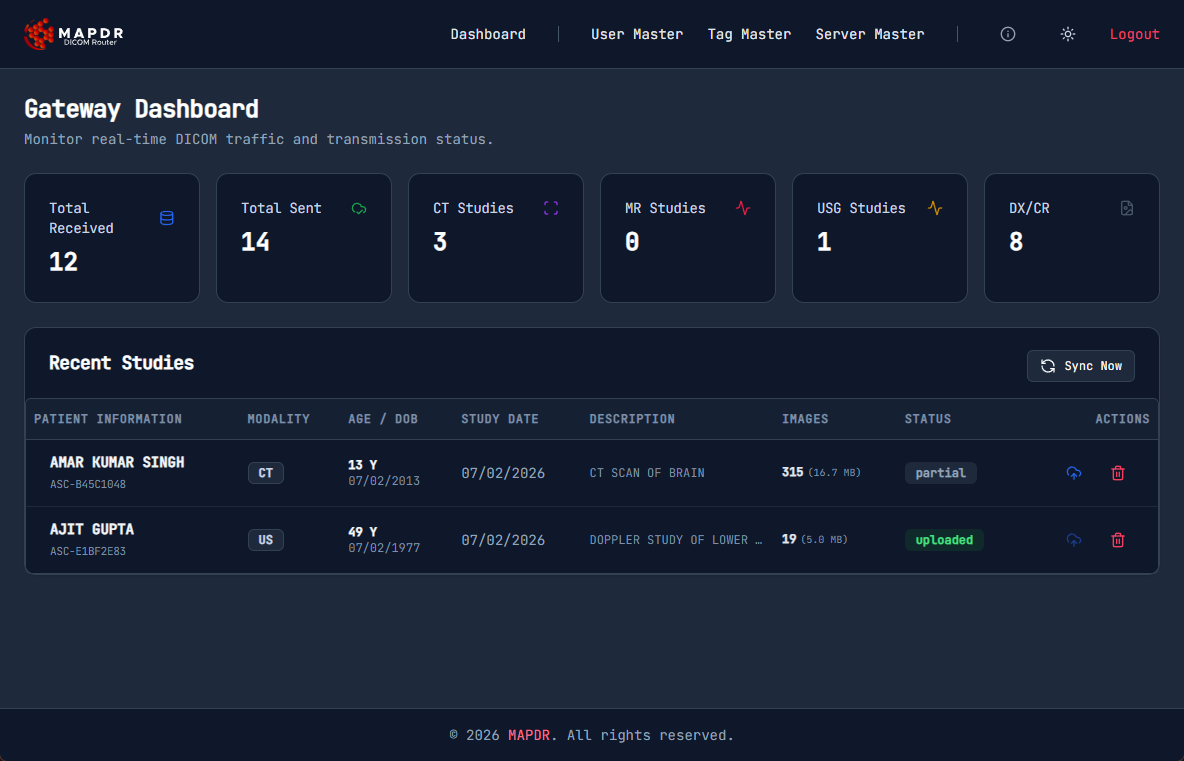
Dashboard
 The dashboard provides a real-time overview of:
- Total studies received and sent.
- Breakdown of imaging modalities (CT, MR, US, DX).
- Live receiving status and image counts.
Processing and Rules
The engine evaluates incoming images against user-defined routing rules.
Tag Modification Users can configure the system to modify DICOM tags (e.g., for anonymization or data correction) before they are forwarded.
Compression
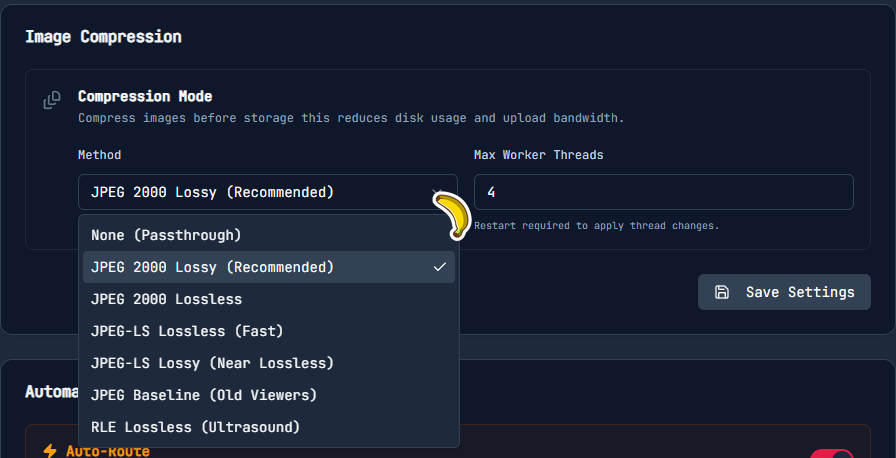 To optimize transfer speeds, the router supports various compression methods. JPEG2000 Lossy is most commonly used as it can reduce image sizes by up to 90% with minimal loss in quality.
Egress and Webhooks
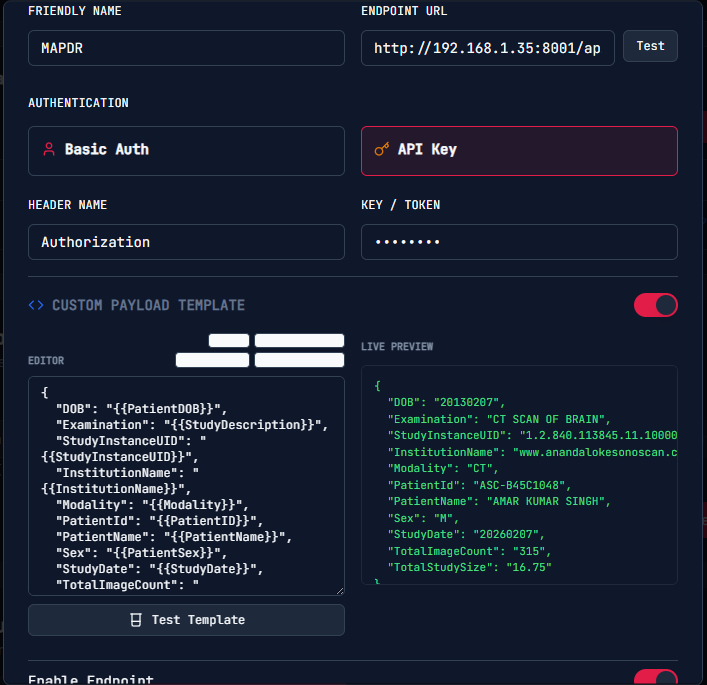 Once processed, the system can:
- Forward images to a destination PACS via C-STORE SCU.
- Send a custom JSON payload (webhook) to external Teleradiology or RIS systems.
Technical Workflow
flowchart TD
    subgraph Sources["Image Sources"]
        MOD["Modalities (CT, MR, CR, etc.)"]
    end

    subgraph Router["Go-DICOM Router"]
        direction TB
        Recv["Receive Images & Parse Metadata"]
        Store[("Store Images Locally")]

        CheckTags{"Tag Modification Rule Applied?"}
        ModTags["Modify DICOM Tags"]

        CheckComp{"Compression Rule Applied?"}
        Compress["Compress Image"]

        MakeJSON["Create JSON Payload"]

        SendJSON["Send JSON Payload"]
        PushImg["Push Images (HTTPS/TCP)"]
    end

    subgraph Destinations["External Systems"]
        RIS["External Teleradiology / RIS"]
        PACS["Destination PACS Server"]
    end

    MOD -- "DICOM Push" --> Recv
    Recv -- "Save File" --> Store

    Store --> CheckTags

    CheckTags -- "Yes" --> ModTags
    CheckTags -- "No" --> CheckComp
    ModTags --> CheckComp

    CheckComp -- "Yes" --> Compress
    CheckComp -- "No" --> MakeJSON
    Compress --> MakeJSON

    MakeJSON --> SendJSON
    MakeJSON --> PushImg

    SendJSON -- "API Post" --> RIS
    PushImg -- "C-STORE / HTTPS" --> PACS

    classDef default fill:#f9f9f9,stroke:#333,stroke-width:1px,color:#000;
    classDef highlight fill:#e1f5fe,stroke:#03a9f4,stroke-width:2px,color:#000;
    classDef database fill:#fff3e0,stroke:#ff9800,stroke-width:2px,color:#000;
    classDef decision fill:#f3e5f5,stroke:#9c27b0,stroke-width:2px,color:#000;

    class Recv,MakeJSON,SendJSON,PushImg highlight;
    class Store database;
    class CheckTags,CheckComp decision;